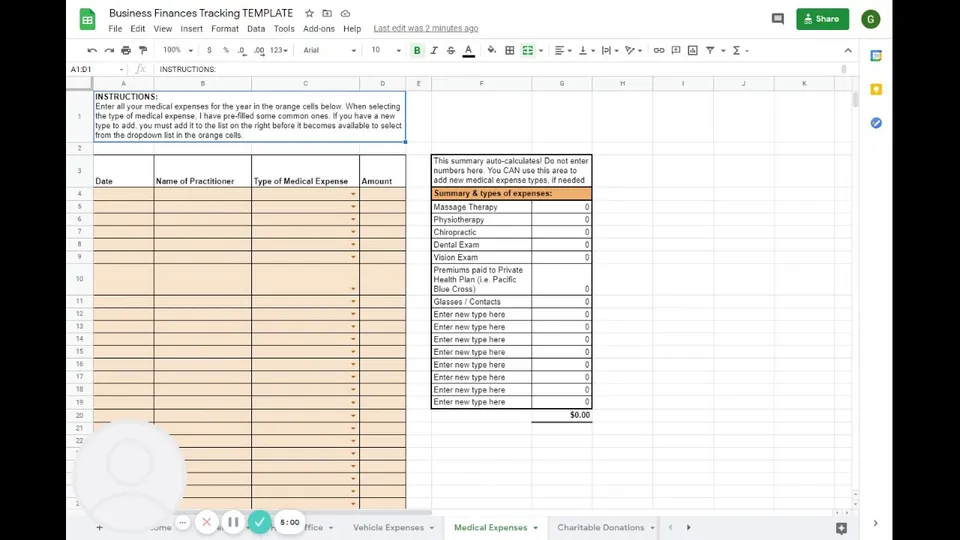
For the self-employed:
If you have landed on this page that means you are filing your personal income tax return with Make It Count, and are partially or fully self-employed, or want to use this template to claim employment expenses (relating to a signed T2200 from your employer).
If you have an existing spreadsheet or software you’d prefer to share for your tax returns, please let us know. We do not want you to re-do your work if it’s already done! This template is meant to be helpful in organizing your information.
Open the Business Finances Tracking Template and follow the instructional videos below to learn how to use it!
Step 1) Make a copy of the template for yourself
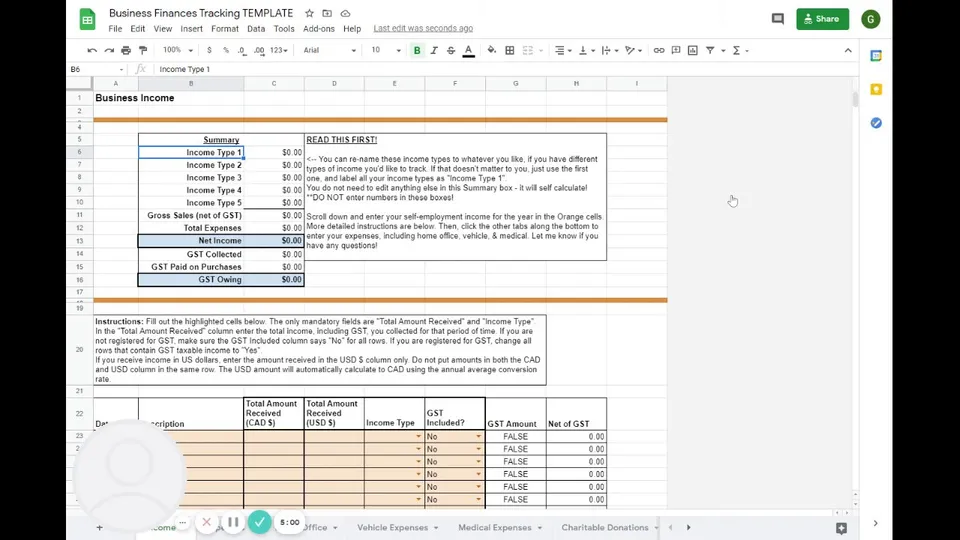
Step 2) Add your income
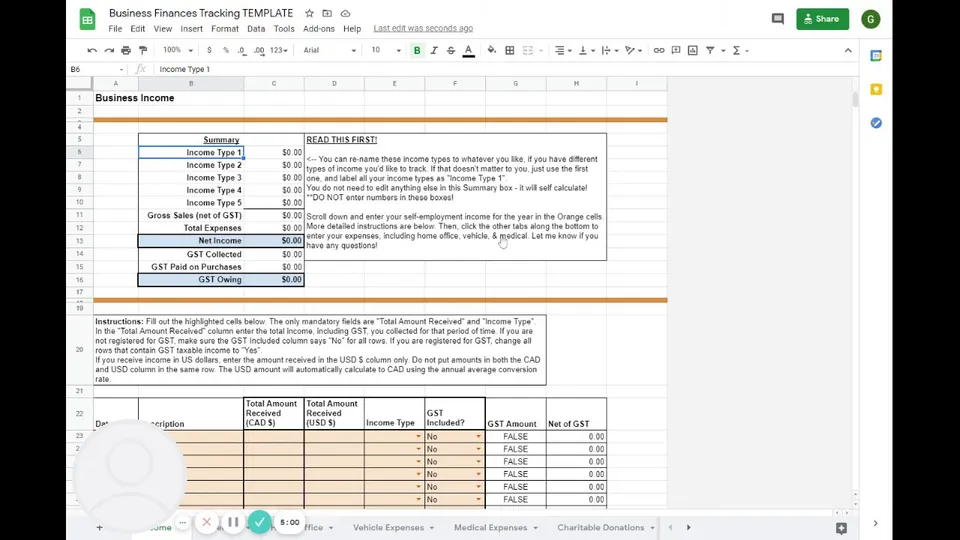
Step 3) Add your expenses
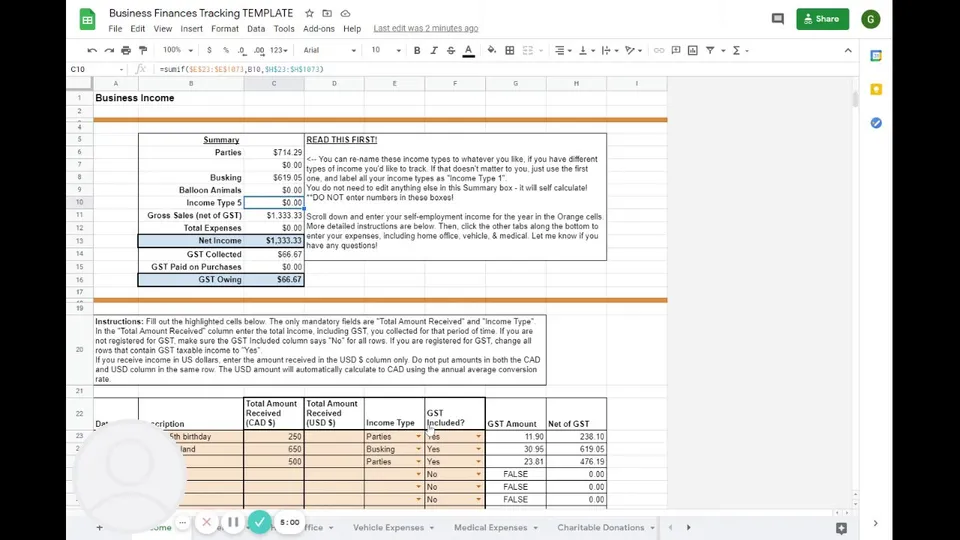
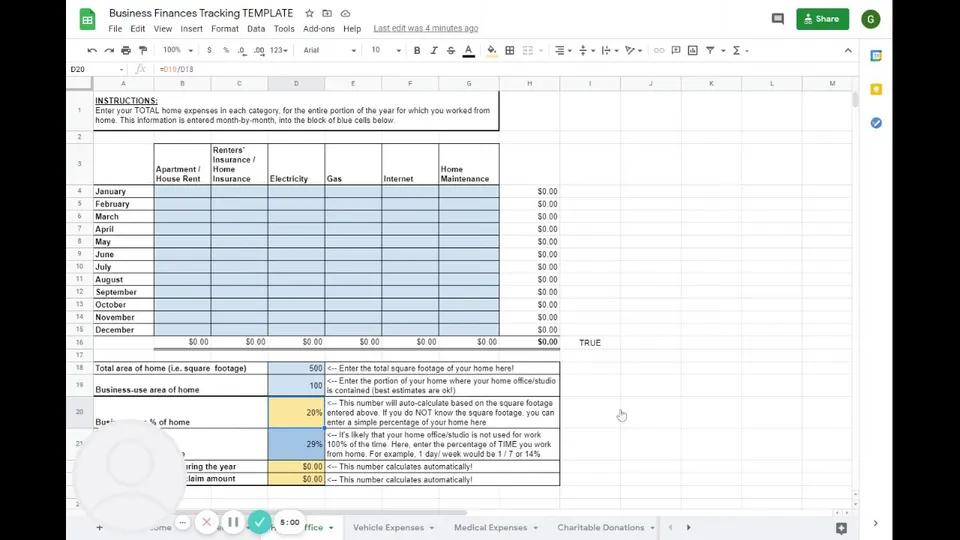
Step 4) Business use of your home (optional)
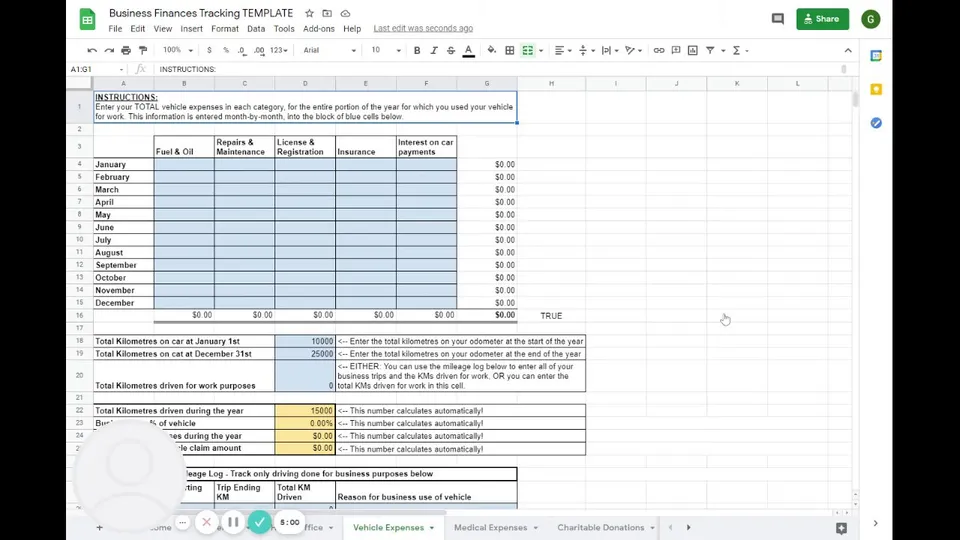
Step 5) Business use of your vehicle (optional)
Step 6) Medical expenses and charitable donations (optional)